
A loot of people have heard of IP addresses but don't really understand what they are. Today we will clarify that and help you understand this core concept.
Definition
An IP address (Internet Protocol address) is a unique numerical label assigned to each device connected to a computer network that uses the Internet Protocol for communication.
It serves two main functions: Identifying the host or network interface and providing the location of the host in the network. This address allows devices to locate and communicate with each other on a network, enabling data exchange between devices such as computers smartphones servers and other Internet enabl devices.Essentially an IP address acts as a device's online identifier, much like a mailing address in the physical world, ensuring that the information sent across the internet reaches the correct destination.
Types of IP Addresses
Now let's look at the different types of IP addresses:
There are two main types; ipv4 and ipv6. The IP address you saw a moment ago is an example of ipv4 an example of IPv6 looks like this.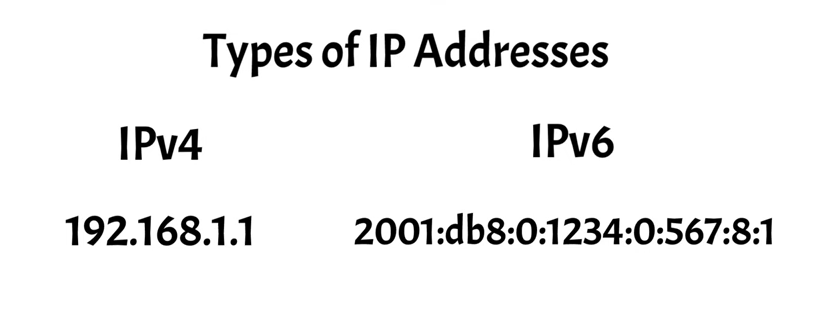
You can notice that there is a significant difference between the two. The reason why we have two types of IP addresses is that ipv4 was limited to a relatively small number of possible IP addresses which wasn't enough to meet our growing needs. As a solution we developed IPv6 which allows for a vastly larger number of IP addresses.
IPv4 vs IPv6
Let's take a closer look at the differences between ipv4 and IPv6.
Ipv4 and IPv6 differ primarily in their address formats and capacity. Ipv4 address are 32bit numeric labels written in decimal format allowing for about 4.3 billion unique addresses. In contrast IPv6 addresses are 128bit alpha numeric labels written in hexadecimal format, providing an almost Limitless number of unique addresses.
This expansion was necessary due to the rapid growth of Internet connected devices, which exhausted the available ipv4 addresses. Additionally, IPv6 includes enhancements in areas such as routing efficiency, security and auto-configuration capabilities compared to ipv4.
IPv4 Structure
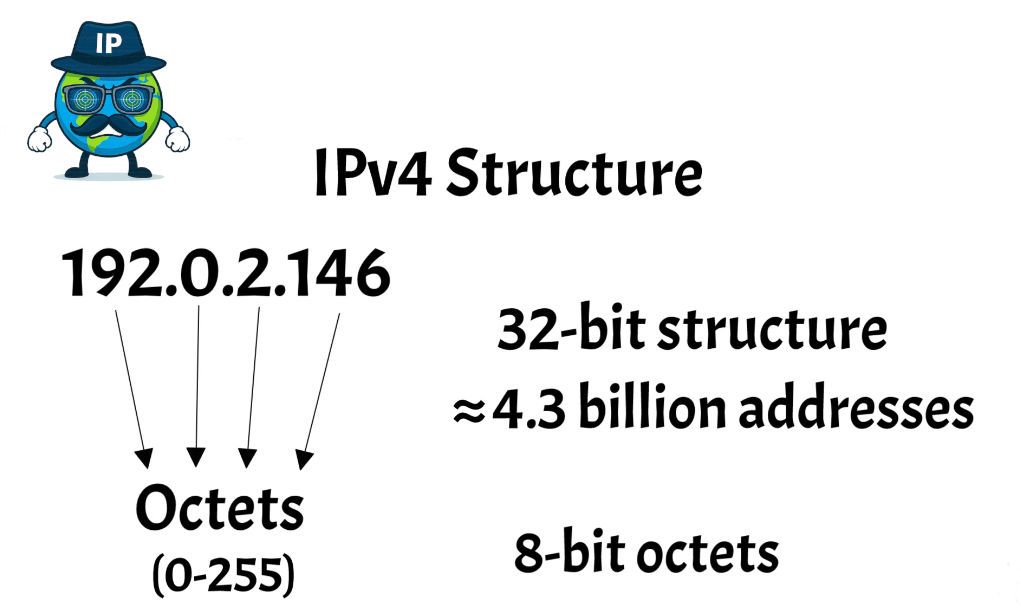
Now let's further examine the structure of IP addresses. Ipv4 addresses have a 32-bit structure typically represented in a dotted decimal format. This format consists of four octets separated by periods, each octet can range from 0 to 255, making the entire ipv4 address space capable of holding around 4. 3 billion unique addresses. These segments are called octets because they are comprised of eight bits which allows for 256 different combinations per segment.
IPv6 Structure
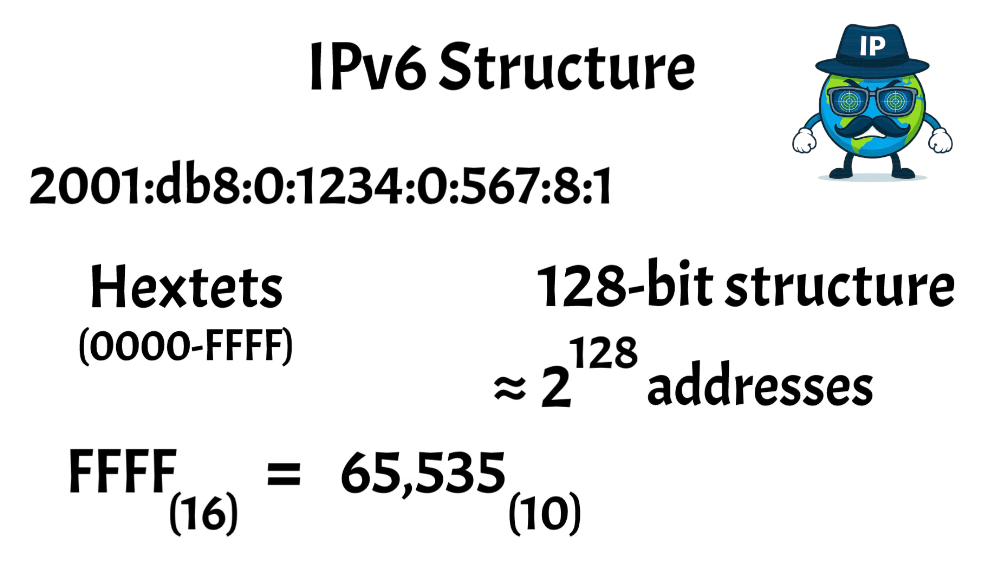
IPv6 addresses have a 128bit structure, represented in hexadecimal format consisting of eight groups of four hexadecimal digits separated by colons. Each group can represent a value between (0 and FFFFF) providing a vastly larger address space compared to ipv4.
For reference FFFF in heximal is equal to 65,535 in decimal, this allows for approximately 2 to the power of 128 unique addresses, effectively eliminating the shortage of IP addresses.
Similar to octets and ipv4 addresses the segments in IPv6 addresses are called hextets, because each group is comprised of 16 bits, allowing for exponentially more combinations.
Public vs Private IP Addresses
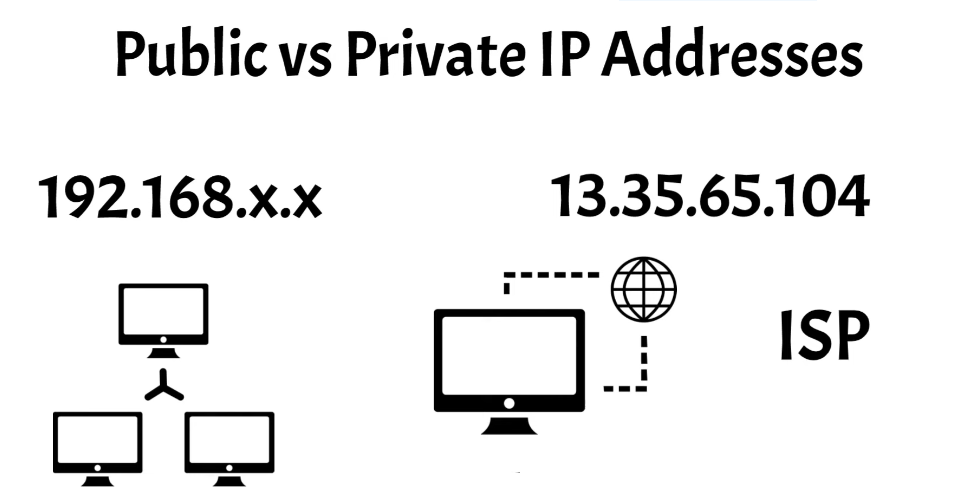
After understanding the structure of IP addresses, it's essential to delve into their practical applications, particularly the distinction between public and private IP addresses. If you check your device's IP address it is most likely to start with 192.168.x.x this is your private IP address and is the most common one by far.
Your private IP address is used within your local network and is not routable on the public internet.
In contrast, your public IP address is assigned by the internet service provider ISP and is unique across the entire internet, allowing devices to communicate with external networks and other devices globally.
These addresses are routable on the internet and are necessary for accessing public websites and services you can check your public IP address here.
Network Address Translation
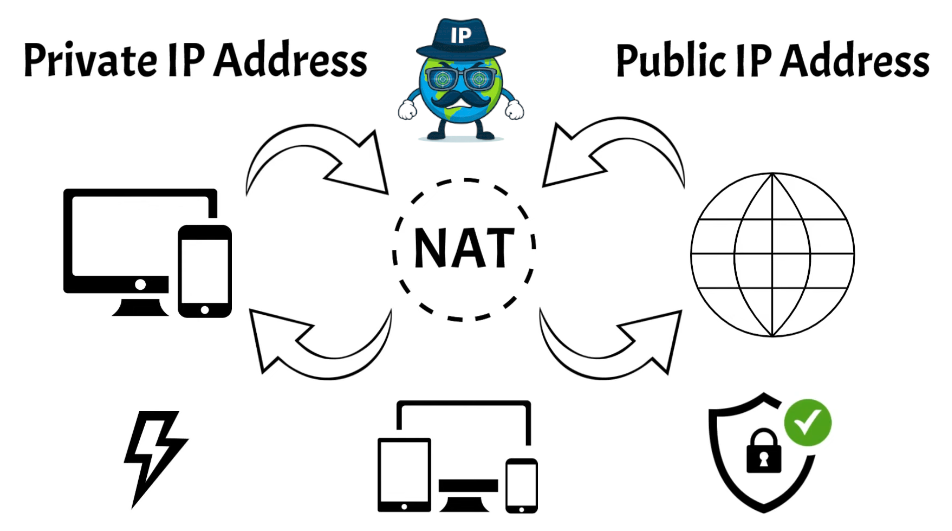
Now you might be wondering how you can have two IP addresses for one device. The explanation lies in a method known as Network address translation, also commonly called NAT. It serves to translate your private IP address into a public one which is used to access public websites and services on the internet.
You can think of it as an interface between your local network and the global Network. When a device on your local network wants to communicate with the internet, NAT modifies the outgoing data packets to include the public public IP address assigned by your ISP.
This way, the data can Traverse the public internet and reach its destination, when the response comes back, Nat translates the public IP address back to the appropriate private IP address within your local network and directs the data to the correct device.
This process happens seamlessly and almost instantaneously, allowing multiple devices on the same local network to share a single public IP address.
NAT not only conserves the number of public IP addresses needed but also adds a layer of security, by masking the internal IP addresses of devices on the local network. It makes it more difficult for external entities to directly access those devices.
In summary, NAT is a crucial technology that enables the coexistence of private and public IP addresses, ensuring that your devices can communicate efficiently and securely with the wider internet.
Static vs Dynamic IP Addresses
Building on the understanding of public and private IP addresses, it's also important to differentiate between static and dynamic IP addresses.
Static IP addresses are fixed and do not change over time, they are manually assigned to a device by an administrator and remain constant, making them ideal for hosting servers, running services, or other applications where a consistent address is crucial.
This stability allows for Reliable remote access, easy configuration of DNS settings and uninterrupted operation of hosted services.
On the other hand, Dynamic IP addresses are automatically assigned by and network when a device connects and can change over time. This process is managed by the dynamic host configuration protocol (DHCP).
Dynamic IP addresses are more costeffective and efficient for ISPs, as they can be reused and reassigned to different devices as needed. This flexibility is suitable for typical home users or devices that do not require a permanent address.
Understanding the differences between static and dynamic IP addresses is essential for configuring Networks and ensuring stable and efficient connectivity.
Static IPS are preferred for applications needing constant access points, while Dynamic IPS are practical for General use where ease of management and cost savings are prioritized.